The front desk starts from the planning
Draw the reservation with the mouse, check guests in and out in a few clicks and find every guest with their history. From the browser, at every workstation on the desk.
30 days free · no credit card · sample data already loaded
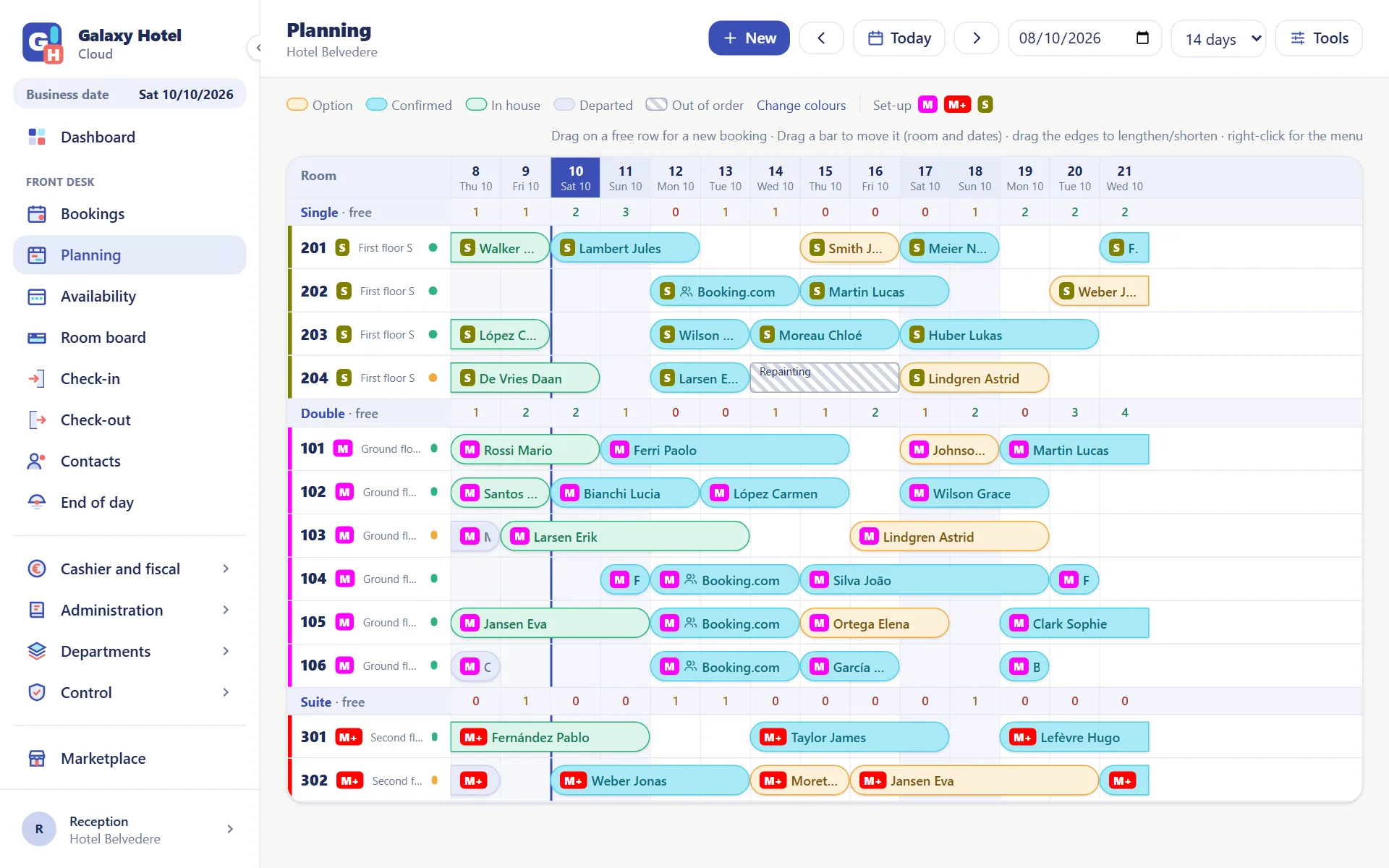
A planning you work with the mouse
Rooms by type in rows, days in columns. Press on a free row and drag: the reservation is created with room and dates already filled in.
- Drag a bar to move the reservation to another room
- Room moves halfway through the stay too: the planning shows the segments
- Colours by status (option, confirmed, in house) that you choose
- Out-of-order rooms and bed set-ups on the same grid
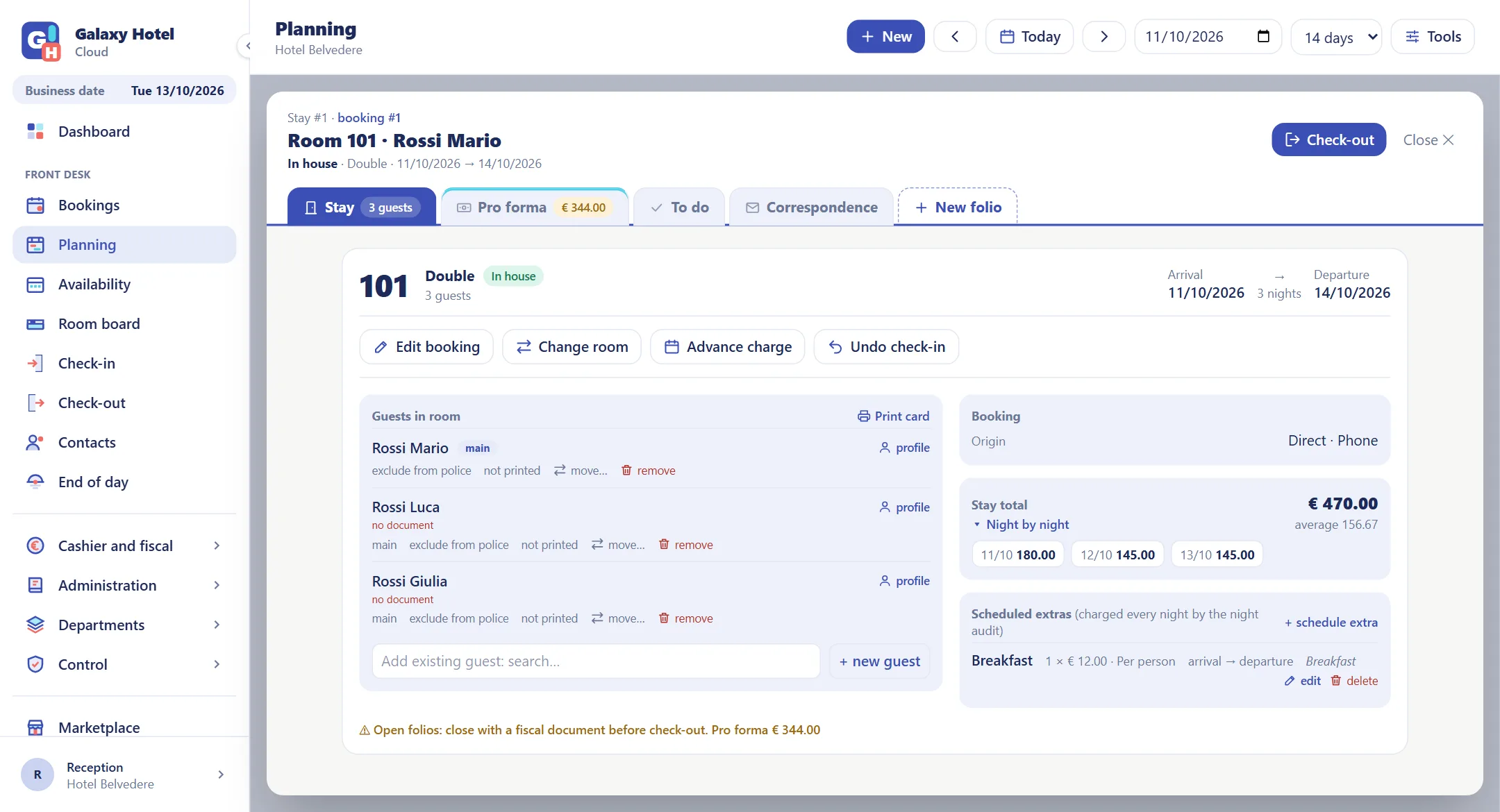
Individual and group reservations
Who books, the rooms requested and who occupies them all sit on one panel: from the option to check-out you never change page.
- Options with an expiry date, confirmations and deposits
- Groups with rooming list and group folio
- Price from the rate plan, with a discount or an agreed total
- Extras scheduled day by day: breakfast, parking, cot
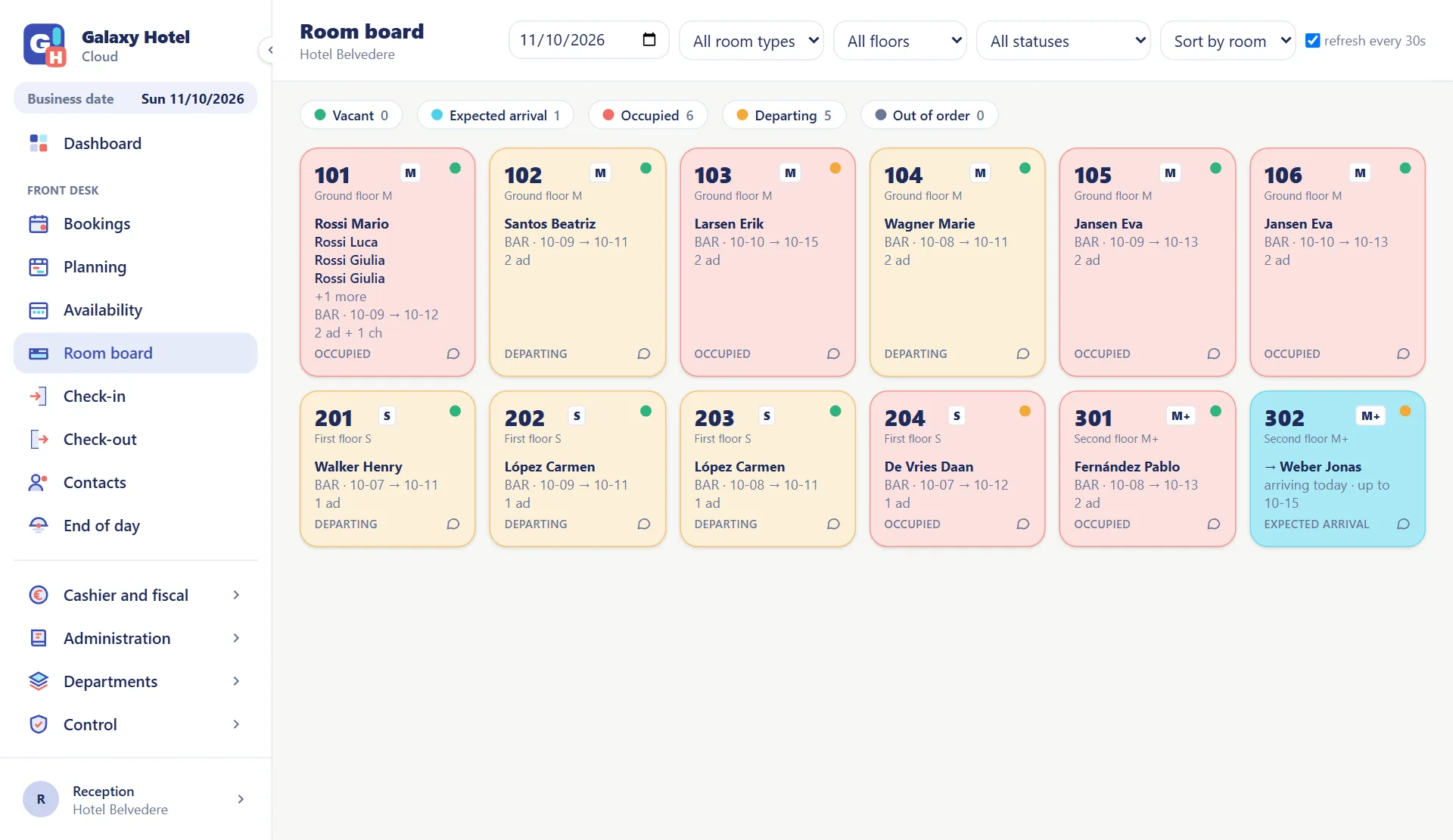
Check-in and check-out in a few clicks
The Room board shows every room with its status: who arrives today, who is in house, who is leaving. One click opens the stay.
- The day's arrivals and departures, filtered with one click
- Walk-ins: reservation and check-in in a single step
- The document read by PassportScan Cloud fills in the guest profile
- Police forms and registrations from the check-in data
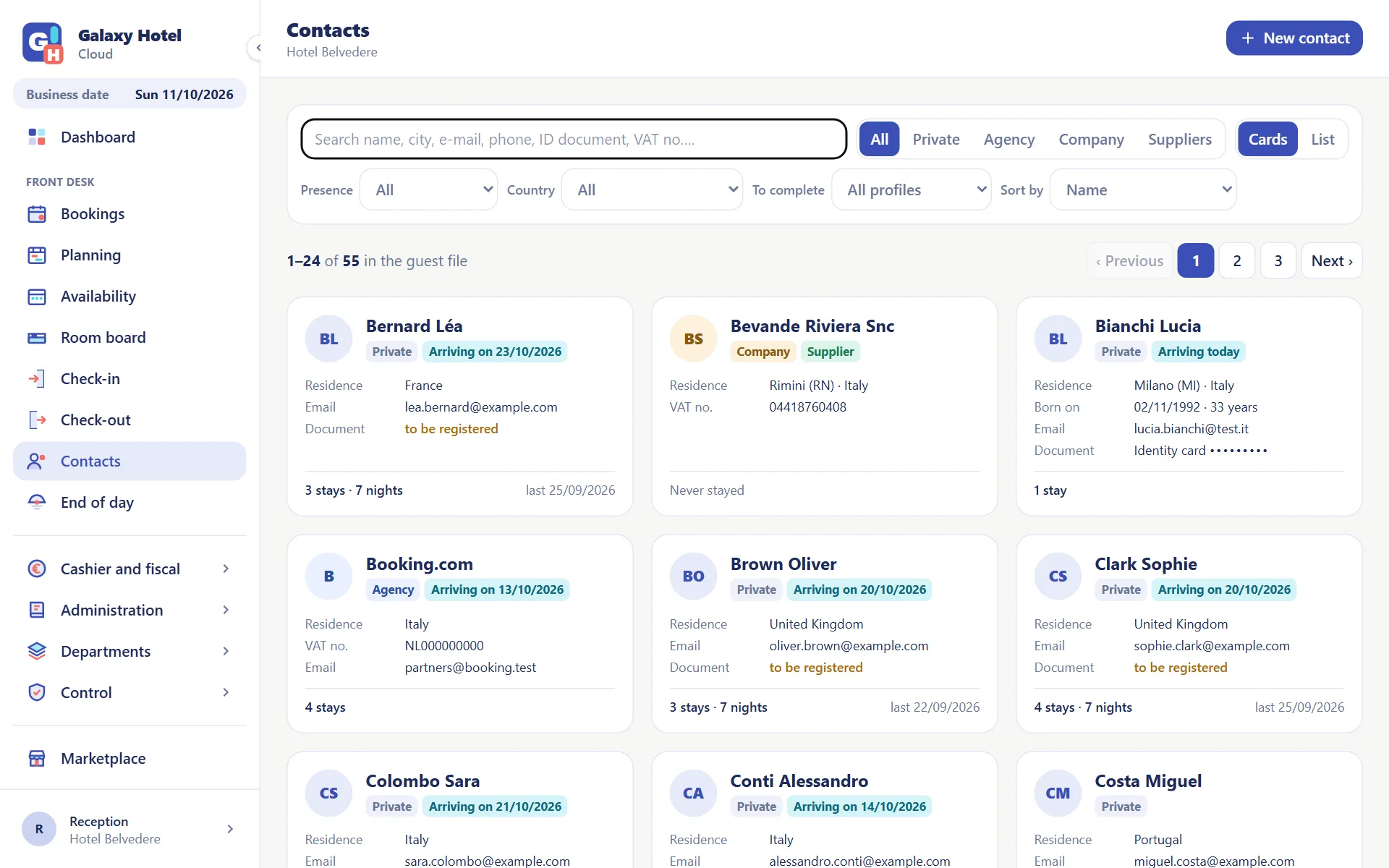
Every guest with their history
Private guests, agencies and companies in a single file. Search by name, town, e-mail, phone or document and see stays, nights and the last stay.
- Who is in house and who is about to arrive, right on the card
- Customer categories with a warning: VIP, unwelcome, bad payer
- Company details filled in from the VAT number
- Document number masked on screen, visible only when needed

Check-in in 10 seconds with PassportScan Cloud
Scan the document and the guest profile fills itself in: name, date of birth, nationality, number and expiry. Fewer mistakes on police forms, a shorter queue at the desk.
PassportScan Cloud is Galaxy Hotel Cloud's partner for document reading: native integration, included in every plan.
The other departments
From the front desk to the back office everybody works on the same data, each with their own permissions.
Frequently asked questions
Can I handle groups?+
Yes. A group reservation has several rooms, the rooming list with the occupants of each and, beside the room folios, the group folio: you decide who pays for what.
How does a room move halfway through the stay work?+
From the stay you choose the new room and the day of the move. The planning shows the two segments and the stay panel keeps the room history: there is nothing to redo.
Do I have to retype the document details?+
No. With PassportScan Cloud you scan the document and name, date of birth, nationality, number and expiry fill themselves in. The police forms and the registrations required in your country start from the same profile.
How many workstations can work at the same time?+
As many as you need: users are unlimited and each has their own permissions. You work from the browser, so from a second desk, from the office or from home too.
Try it with your hotel
30 days to see whether it suits you. No card, no commitment.