The hotel's numbers when you need them, not at month end
The day on the dashboard, the trend in the statistics, every department's lists in the reports. And for each user only what they need to see.
30 days free · no credit card · sample data already loaded
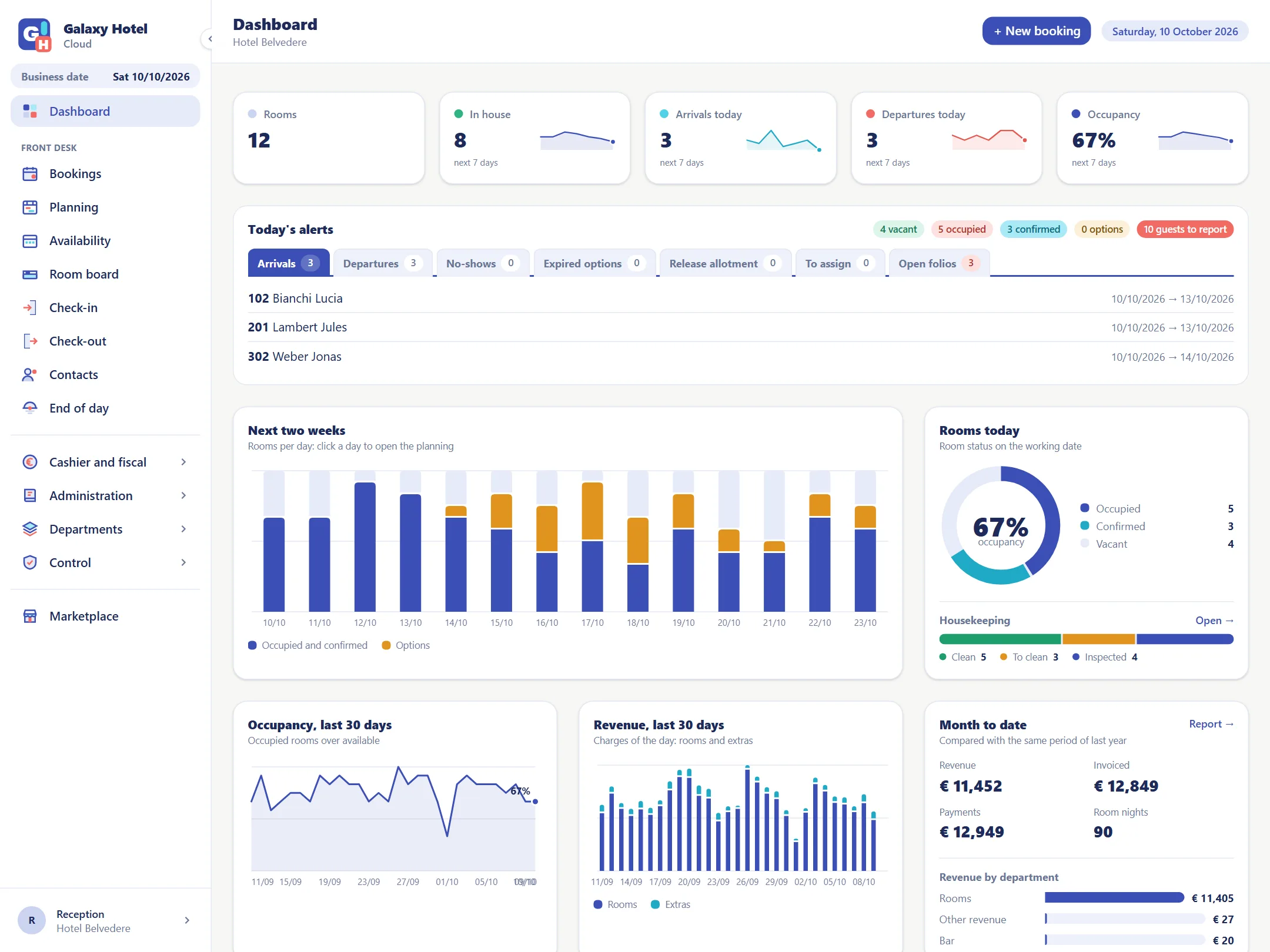
The day on one page
Today's arrivals, departures and occupancy, the next two weeks, housekeeping and the month's revenue: it is the first thing you see when you sign in.
- Who arrives and who leaves today
- Occupancy for the next two weeks
- Rooms to clean and rooms ready
- The month's revenue, rooms and extras
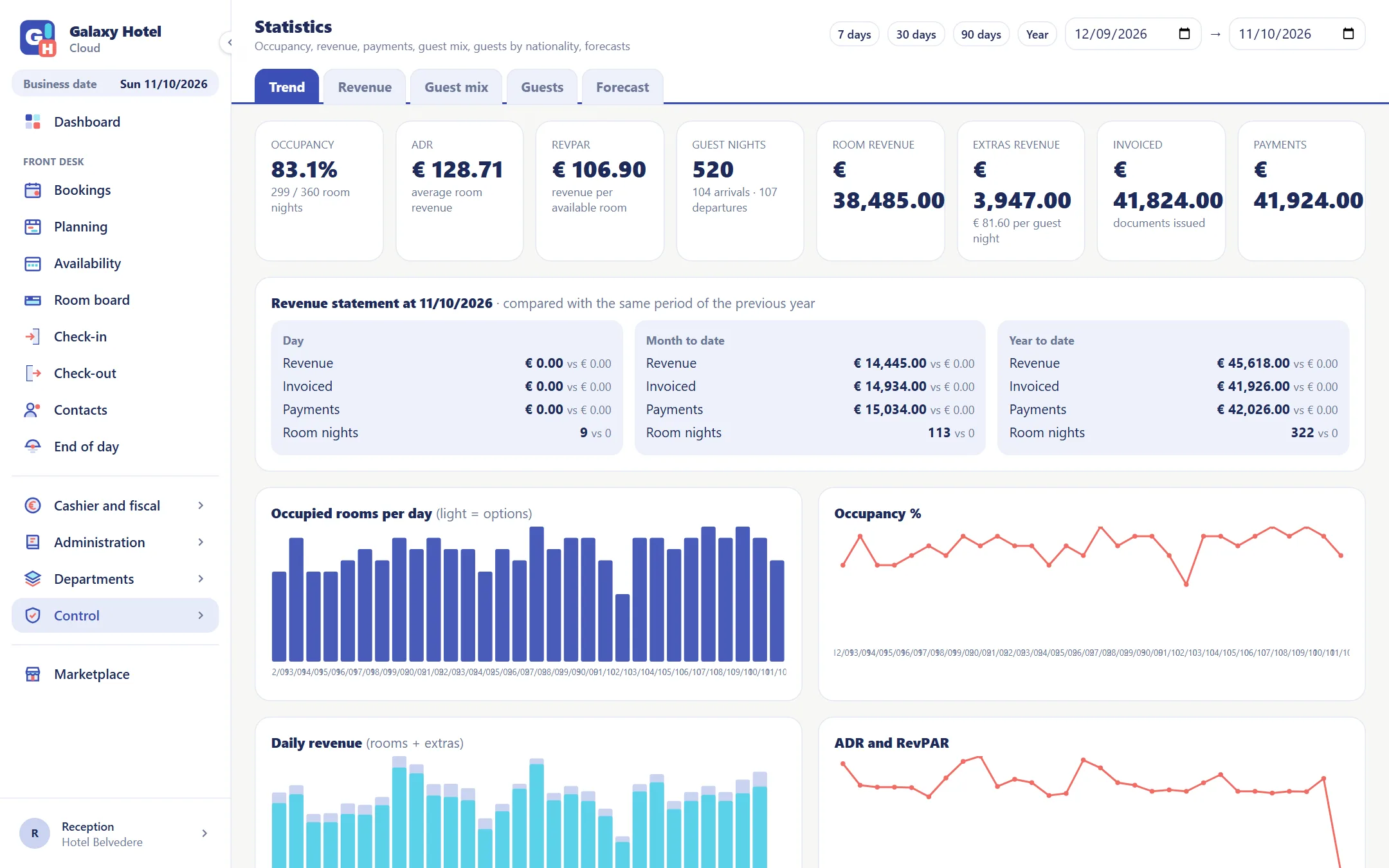
Ready-made statistics
Occupancy, average room revenue (ADR), RevPAR, guest nights and revenue over the period you choose, compared with the same period of the previous year.
- Trend, revenue, guest mix and forecast
- Guests by nationality, country of residence and origin
- How much each channel and each market brings in
- Several properties: all together and side by side
- Forecast against last year, pickup and cancellations
- Last 7, 30 or 90 days, the year or the dates you want
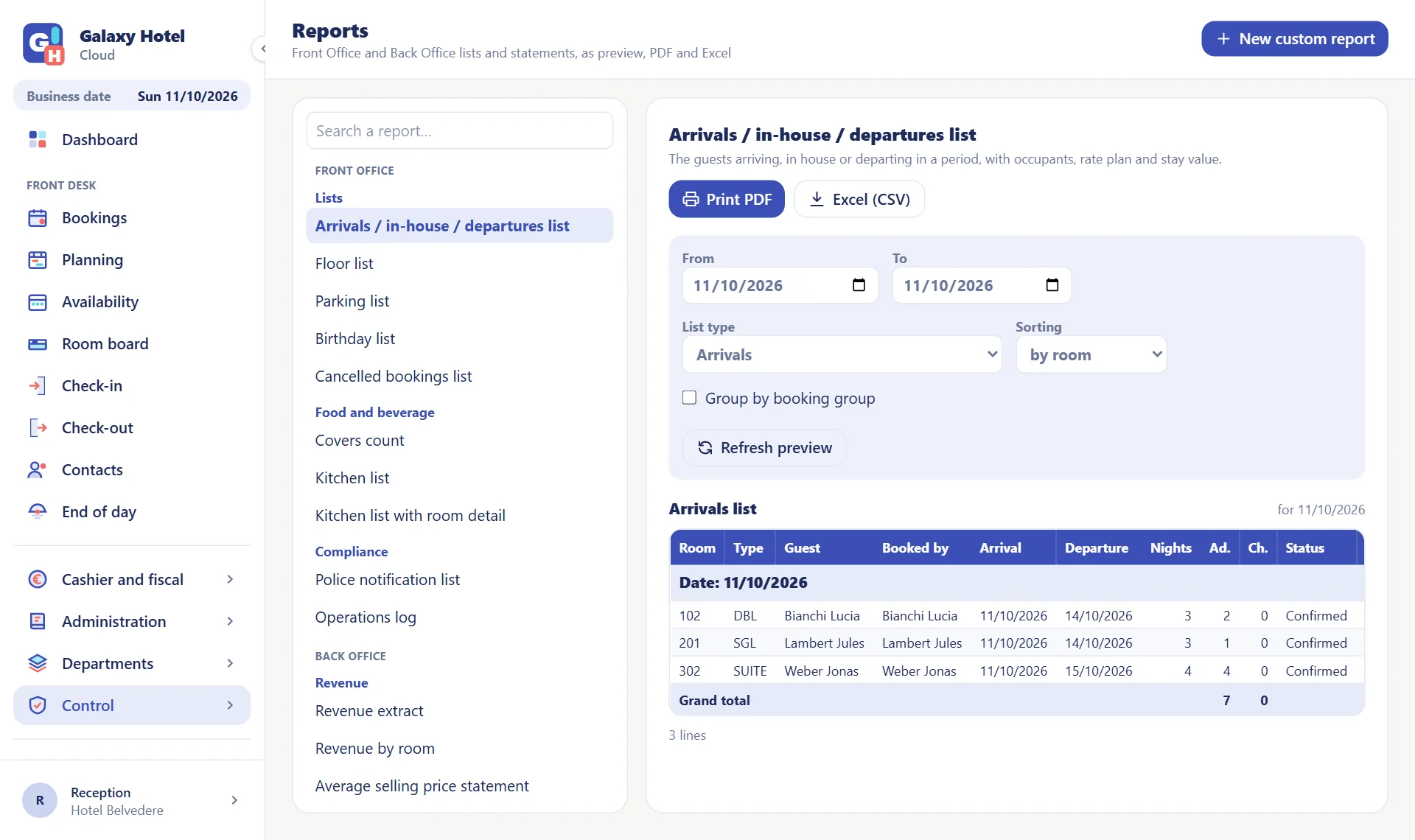
A report for every department
Arrivals, in-house and departures lists for the front desk, covers and lists for the kitchen, revenue and RevPAR for management: as a preview, in PDF and in Excel.
- Floor lists, parking, birthdays, cancelled bookings
- Police notifications and summaries for the returns
- Custom reports: choose data, columns, filters and totals
- In the language of the user who prints them
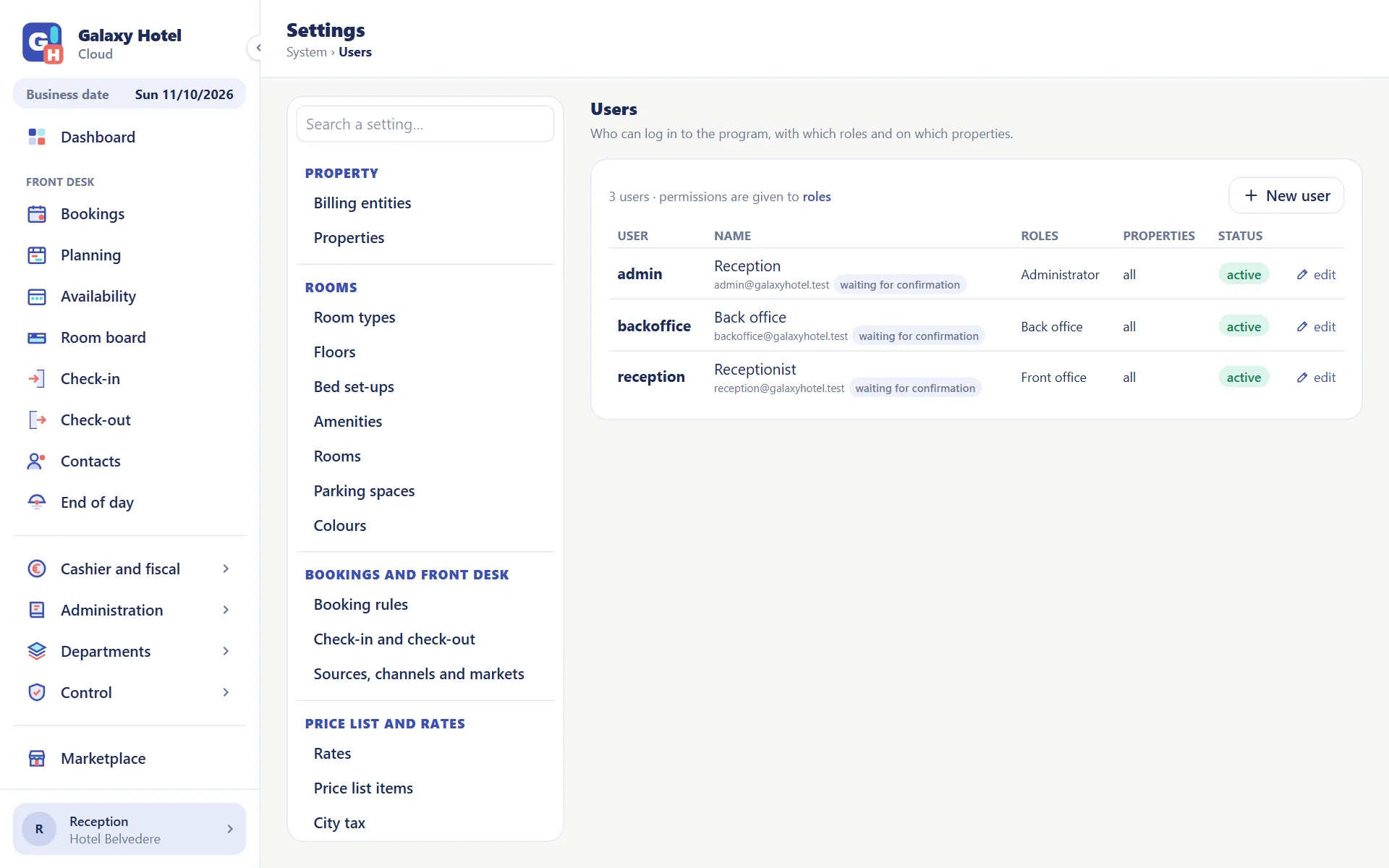
Users, roles and permissions
A role is a set of permissions; every user has one or more and works only on the properties they are enabled for.
- Unlimited users, included in the fee
- Ready-made roles for front office and back office, plus the ones you create
- Restricted operations: voiding a document, deleting a reservation
- Operations log: who did what, and when
The other departments
From the front desk to the back office everybody works on the same data, each with their own permissions.
Frequently asked questions
Can I export my data?+
Yes. Every report comes out in PDF and in Excel (CSV); to connect another program you use the public API, with a key of the property.
Can I limit what a user sees?+
Yes: permissions are given by role, module by module, and every user is enabled for one or more properties. Housekeeping staff do not see the folios, front desk staff do not see the accounting.
Do the statistics compare with last year?+
Yes: the revenue statement sets the day, the month and the year to date beside the same period of the previous year.
Can I find out who changed a reservation?+
Yes. Every reservation has its own history and the operations log lists who did what, with date and time.
Try it with your hotel
30 days to see whether it suits you. No card, no commitment.