Rate plans, offers and contracts: the price works itself out
Rate plans, seasons and offers on one side, availability by room type on the other: when you take a reservation the price is already the right one.
30 days free · no credit card · sample data already loaded
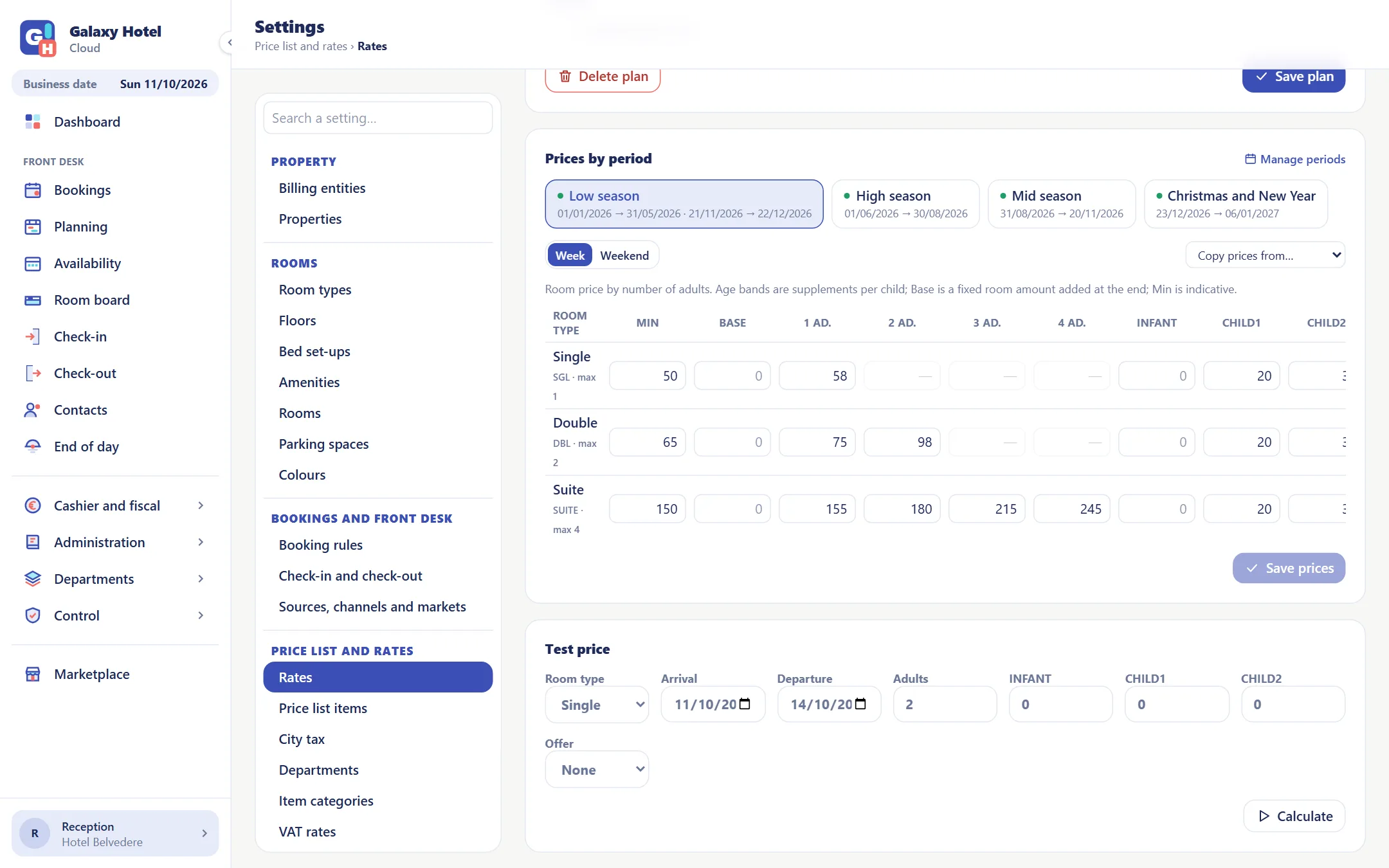
Rate plans and seasons
Every plan has its periods and, in each period, a price by room type and by occupancy. Set it once and it applies to every reservation.
- Price per room or per person, with age bands for children
- Low, mid and high season, with weekday and weekend prices
- Offers such as 7 nights for the price of 6 or a discount from a minimum number of nights
- Restrictions by date: minimum stay, closed to arrival
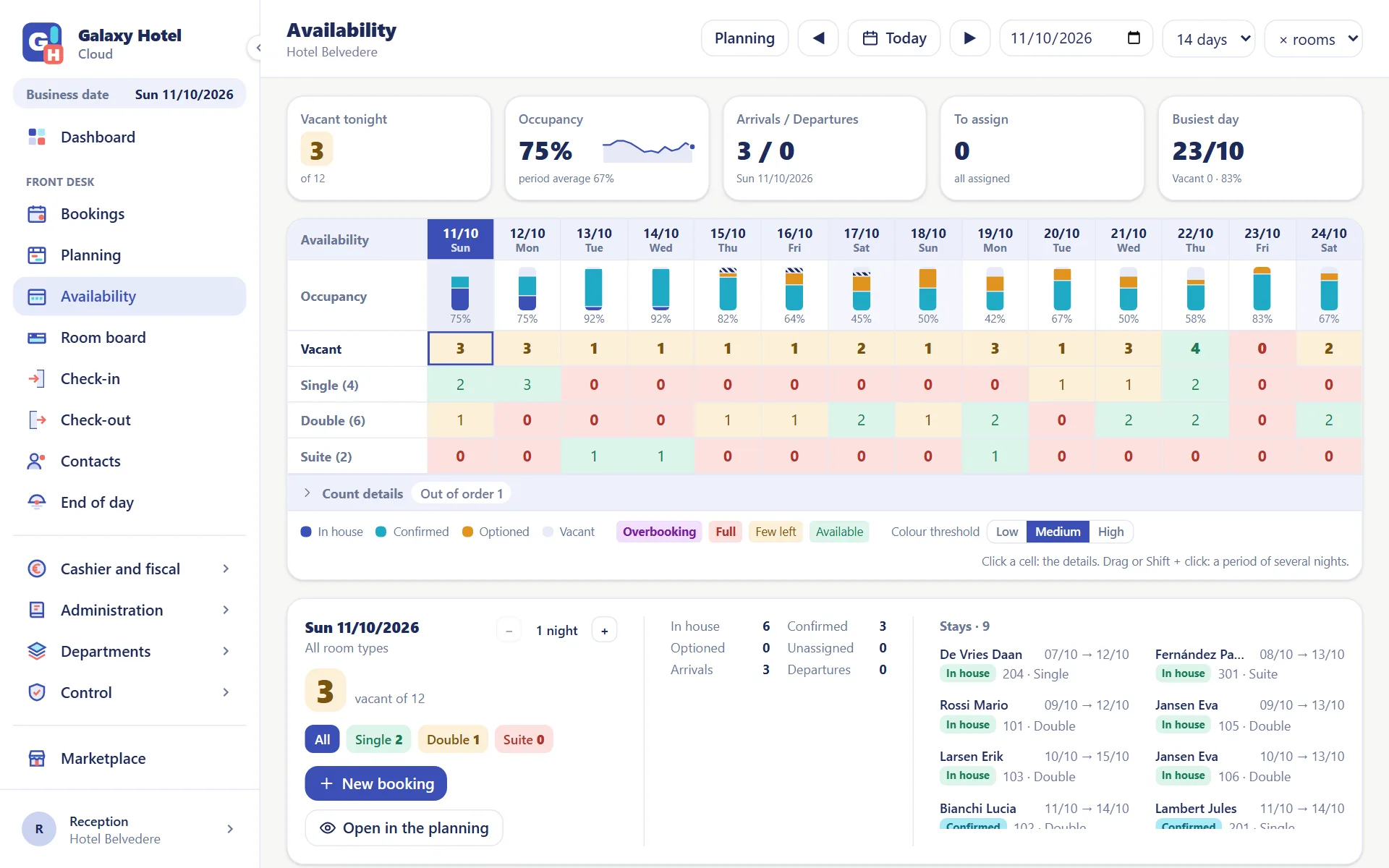
Availability at a glance
Fourteen days, room type by room type: the colours tell you where you are full, where only a few rooms are left and where you are overbooked.
- Occupancy day by day, with options and confirmed reservations told apart
- Click on a night: who is there and how many rooms are left by room type
- From there the new reservation, with dates and room type already chosen
- You decide the thresholds and the colours
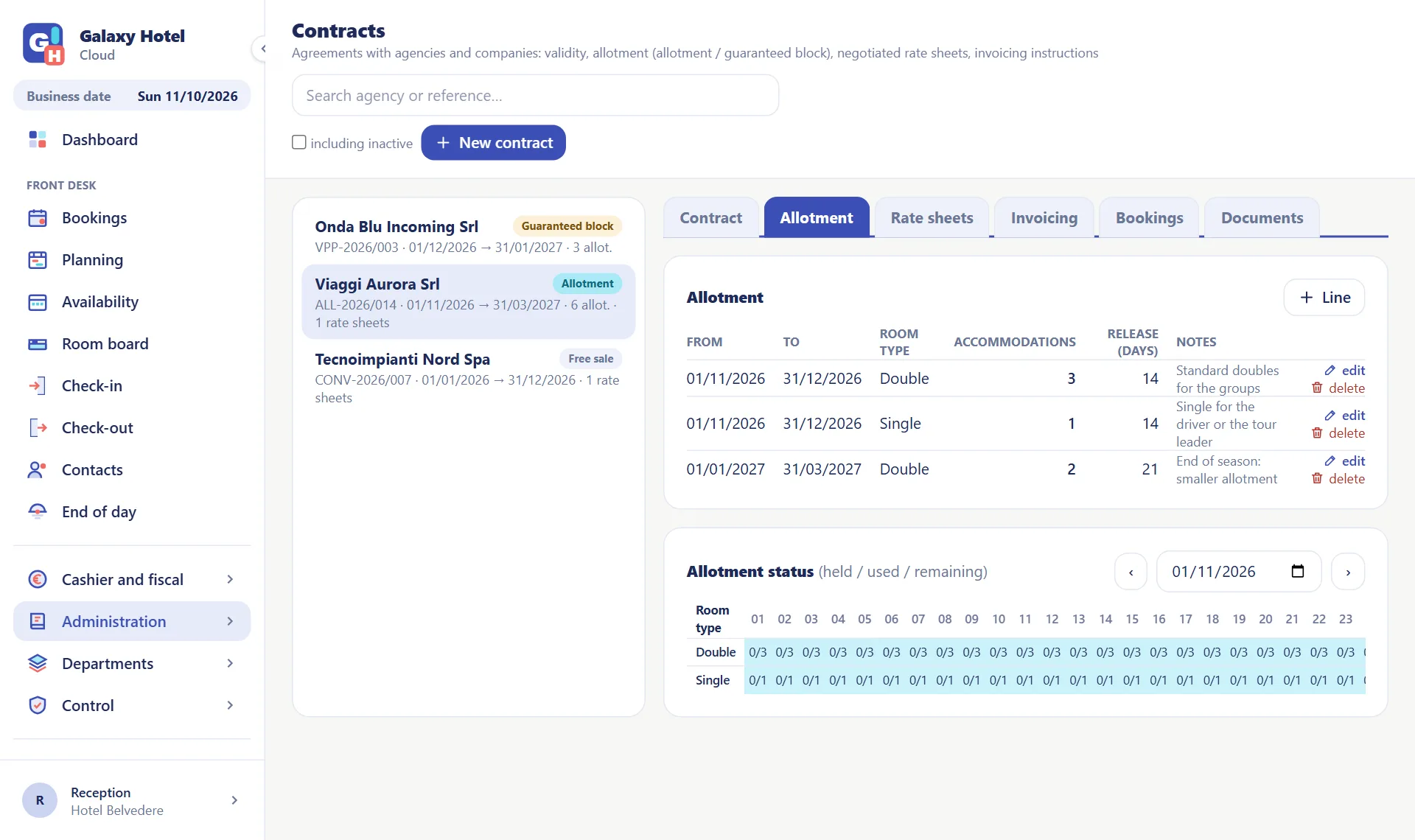
Contracts with agencies and companies
Validity, allotment, negotiated rates and billing instructions: a reservation made from the contract already knows what it costs and who pays.
- Allotment and guaranteed blocks, with their use under control
- The contract's rate sheet copied from a rate plan and then adjusted
- Who pays for what: the room to the company, the extras to the guest
- The contract's reservations and documents, each in its own list
The other departments
From the front desk to the back office everybody works on the same data, each with their own permissions.
Frequently asked questions
Can I have different prices by occupancy and by age?+
Yes. In each period the price is set by room type and by number of occupants; children follow the age bands you define.
Does it connect to Booking and the other portals?+
Yes. The channel manager is switched on from the Marketplace inside the app, with Madeep or with Channex: rates, availability and stop sales go out to your website's booking engine and to the portals, and reservations come in on their own. The cost is per property and is on the Pricing page. If you use another system, it can connect through the public API.
How do I handle agencies and companies with negotiated rates?+
With a contract: validity, rooms on allotment, negotiated prices and who pays for what. Choose it on the reservation and the prices and billing instructions come from there.
Can I see where my reservations come from?+
Yes. Every reservation carries origin, channel and market: three lists you define, which the statistics use to tell you how much each one brings in.
Try it with your hotel
30 days to see whether it suits you. No card, no commitment.